> ## Documentation Index
> Fetch the complete documentation index at: https://docs.coingecko.com/llms.txt
> Use this file to discover all available pages before exploring further.
# CoinGecko Agent SKILL
> Give AI agents built-in knowledge of the CoinGecko API with the installable SKILL package
[CoinGecko SKILL](https://github.com/coingecko/skills) is an installable package that gives AI agents built-in knowledge of the CoinGecko API — endpoints, parameters, and common workflows — so your agent can write accurate queries and code without manual prompting.
Works with Claude Code, Gemini CLI, Codex CLI, and other SKILL-compatible agents. Setup takes under 3 minutes.
## Installation
Install the SKILL for agents like Claude Code, Gemini CLI, or Codex CLI.
### Via [skills.sh](https://skills.sh/)
```bash theme={null}
npm install -g skills
```
> See [npmjs/skills](https://www.npmjs.com/package/skills) for details.
```bash theme={null}
npx skills add coingecko/skills -g -y
```
> `-g` installs globally for all agents.
### Via GitHub
```bash theme={null}
git clone https://github.com/coingecko/skills.git coingecko-skills
```
```bash theme={null}
mv coingecko-skills ~/.claude/skills/coingecko
```
> Path varies by agent and OS. Example above is for Claude Code on Mac/Linux.
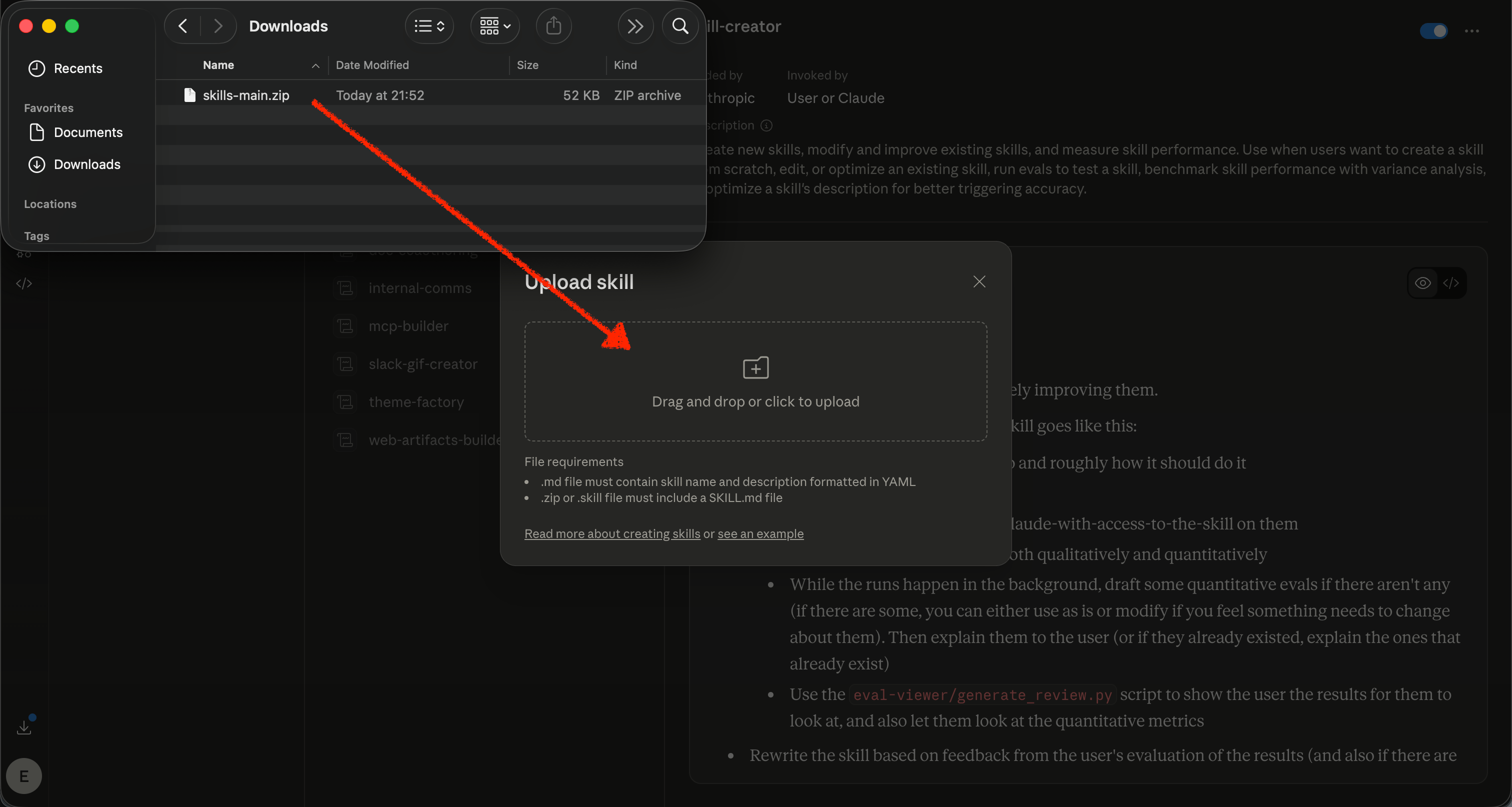
Download [skills-main.zip](https://github.com/coingecko/skills/archive/refs/heads/main.zip) from GitHub.
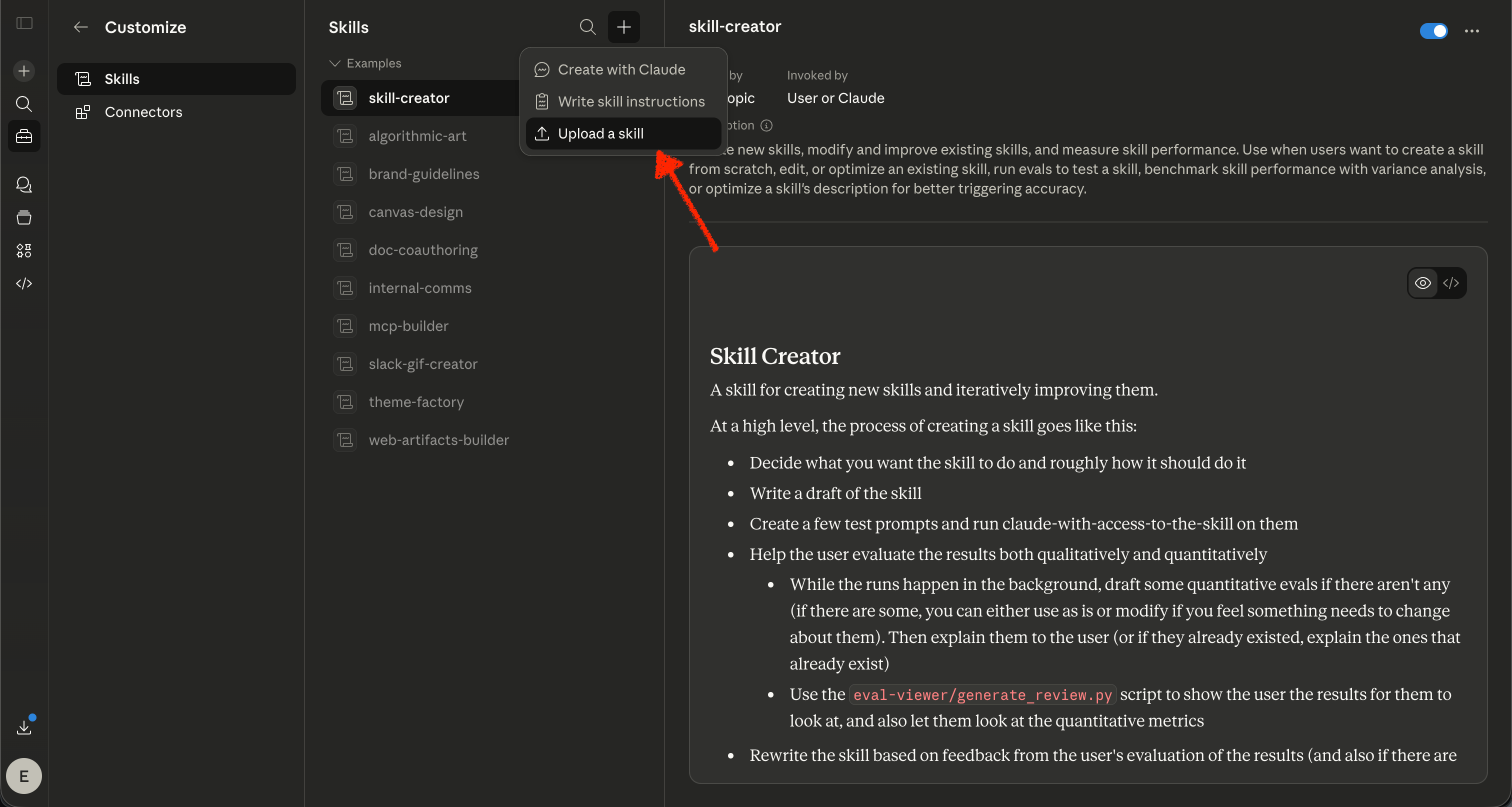
Go to [claude.ai/customize/skills](https://claude.ai/customize/skills) and select **+** → **Upload a skill**.
 Upload the `skills-main.zip` file.
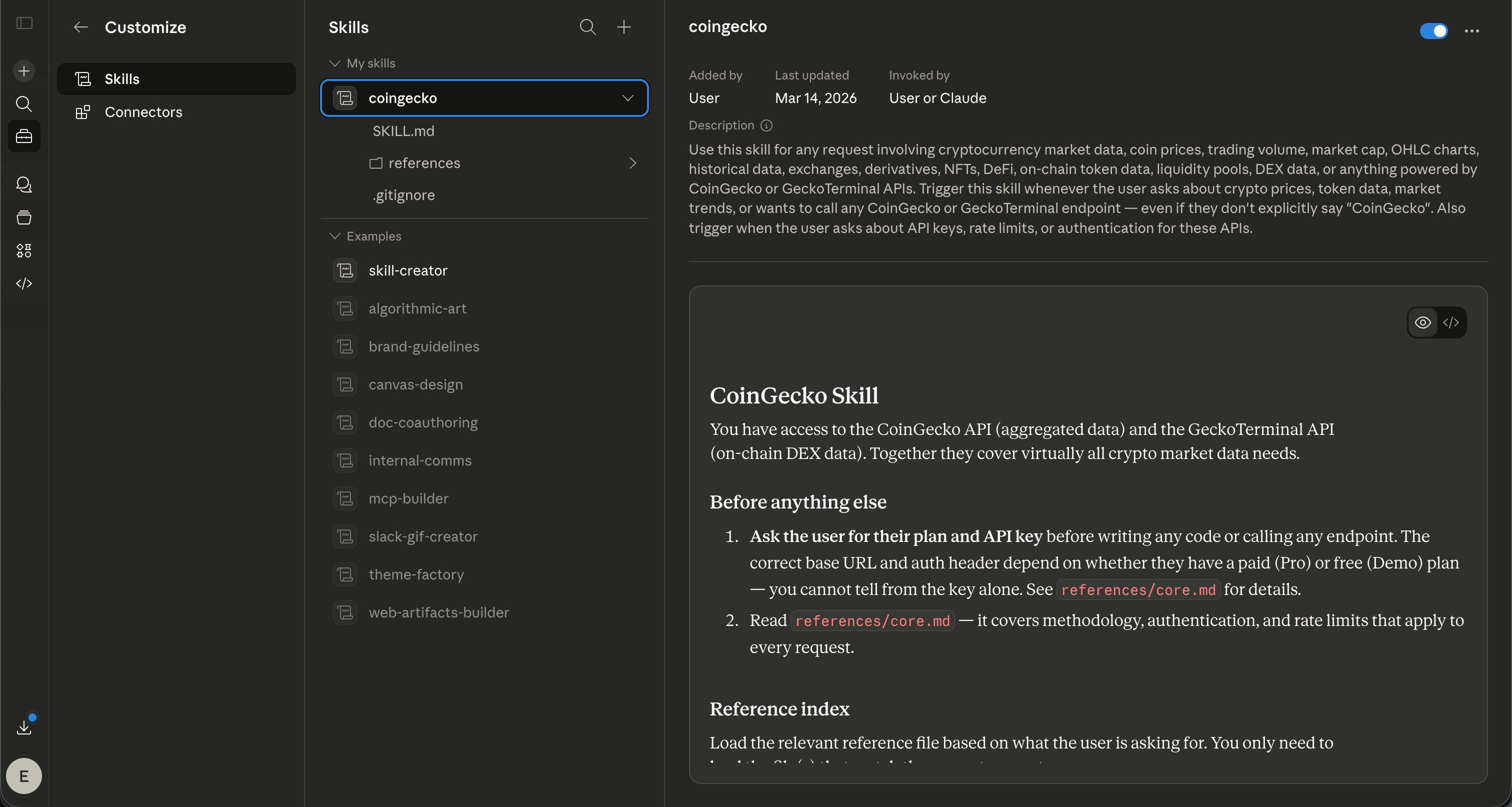
 Done — the SKILL is now active.
 ### Claude Web Constraints
The SKILL includes built-in workarounds for Claude platform restrictions. If your API calls fail silently or return network errors, check the following:
#### Allowlist CoinGecko domains
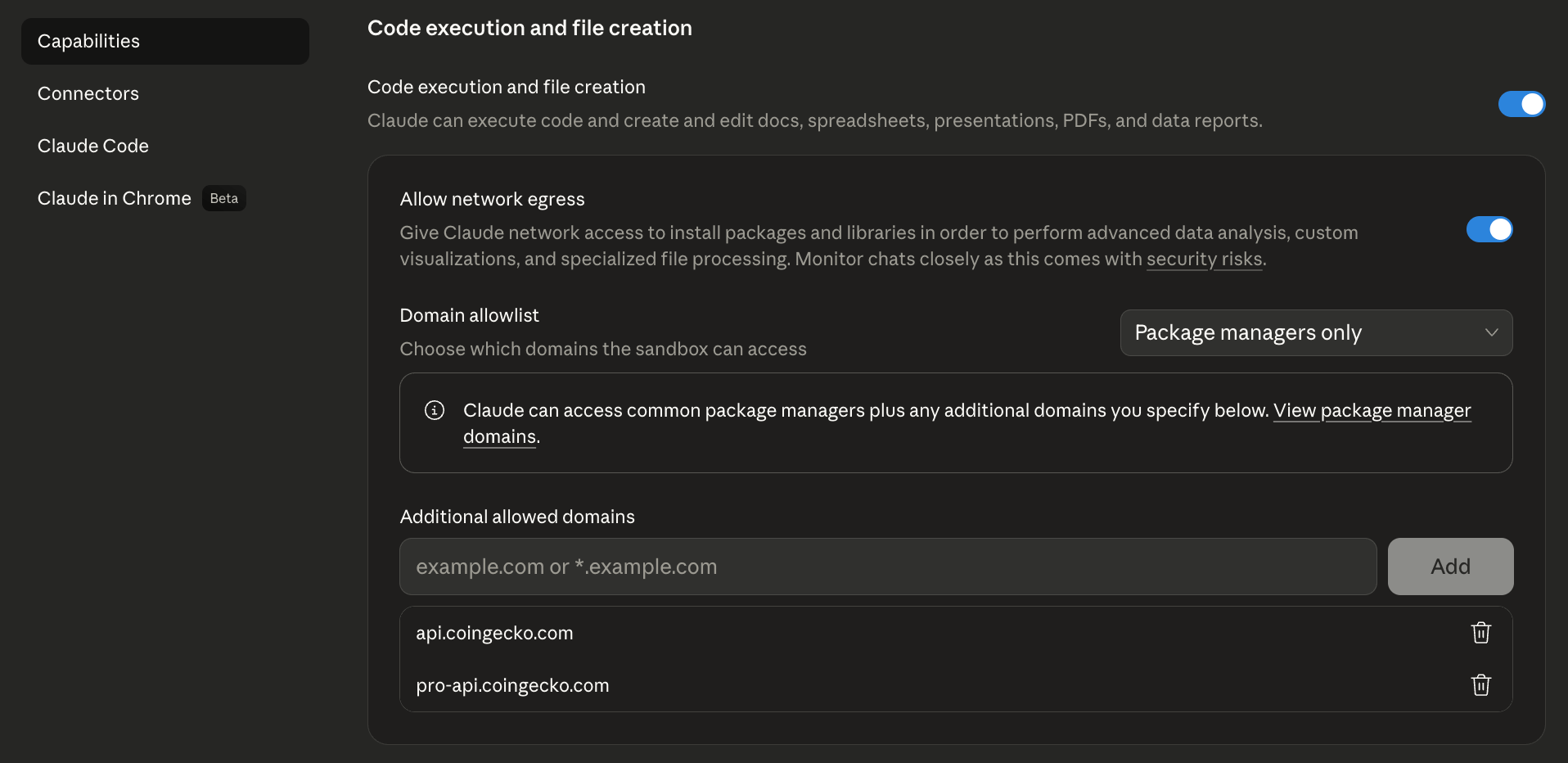
Claude blocks outbound requests to domains not on your allowlist. Go to [claude.ai/settings/capabilities](https://claude.ai/settings/capabilities), scroll to **Domain allowlist**, and add:
* `pro-api.coingecko.com`
* `api.coingecko.com`
### Claude Web Constraints
The SKILL includes built-in workarounds for Claude platform restrictions. If your API calls fail silently or return network errors, check the following:
#### Allowlist CoinGecko domains
Claude blocks outbound requests to domains not on your allowlist. Go to [claude.ai/settings/capabilities](https://claude.ai/settings/capabilities), scroll to **Domain allowlist**, and add:
* `pro-api.coingecko.com`
* `api.coingecko.com`
 #### Artifacts cannot make API calls directly
* Claude Artifacts run in a sandboxed environment that blocks external API calls.
* The SKILL handles this automatically by fetching data server-side first, then passing results into the Artifact as static data.
For the best experience — especially on the Claude free plan — set up the [CoinGecko MCP Server](/ai-integration/mcp-server) alongside the SKILL.
## Try It Out
Once installed, try asking your agent:
* *"If I invested \$100 in Bitcoin back in December 2018, how much would it be worth today?"*
* *"What was the ATH of XPL?"*
* *"What is the current market cap of DZnQi17HFgSM8mJ4nhVicz32B97XyTsd6MUVuDJgP9Jo from Solana?"*
* *"What are the top NFT collections this week?"*
***
Tell us how you're using the CoinGecko SKILL and what we should improve.
#### Artifacts cannot make API calls directly
* Claude Artifacts run in a sandboxed environment that blocks external API calls.
* The SKILL handles this automatically by fetching data server-side first, then passing results into the Artifact as static data.
For the best experience — especially on the Claude free plan — set up the [CoinGecko MCP Server](/ai-integration/mcp-server) alongside the SKILL.
## Try It Out
Once installed, try asking your agent:
* *"If I invested \$100 in Bitcoin back in December 2018, how much would it be worth today?"*
* *"What was the ATH of XPL?"*
* *"What is the current market cap of DZnQi17HFgSM8mJ4nhVicz32B97XyTsd6MUVuDJgP9Jo from Solana?"*
* *"What are the top NFT collections this week?"*
***
Tell us how you're using the CoinGecko SKILL and what we should improve.