> ## Documentation Index
> Fetch the complete documentation index at: https://docs.coingecko.com/llms.txt
> Use this file to discover all available pages before exploring further.
# CoinGecko Docs MCP
> Let AI agents search CoinGecko documentation via the Docs MCP Server
Give your AI agent direct access to CoinGecko's documentation — endpoint references, guides, tutorials, and more — without leaving the conversation.
```
https://docs.coingecko.com/mcp
```
This server searches the **documentation**.
To query live crypto data (prices, markets, onchain), use [CoinGecko API MCP ->](/ai-integration/mcp-server)
## Setup
Go to [Settings > Connectors](https://claude.ai/customize/connectors?modal=add-custom-connector) on claude.ai.
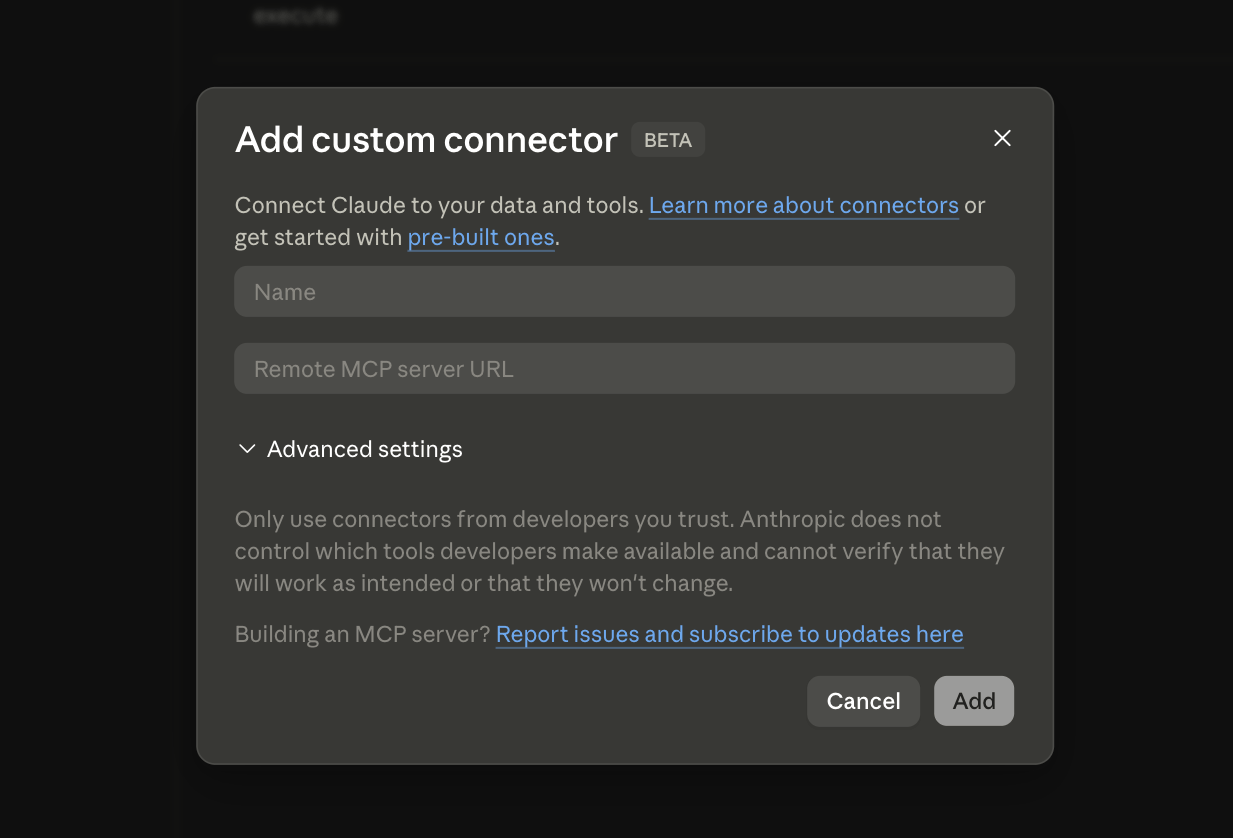 * **Name:** `CoinGecko Docs`
* **Remote MCP server URL:** `https://docs.coingecko.com/mcp`
Click **Add**.
Edit `claude_desktop_config.json` ([find this file](https://modelcontextprotocol.io/docs/develop/connect-local-servers)).
```json theme={null}
{
"mcpServers": {
"coingecko-docs": {
"command": "npx",
"args": [
"mcp-remote",
"https://docs.coingecko.com/mcp"
]
}
}
}
```
Requires [Node.js](https://nodejs.org/en/download).
Restart to load the new server.
```bash theme={null}
claude mcp add --transport http \
coingecko-docs https://docs.coingecko.com/mcp
```
```bash theme={null}
claude mcp list
```
## What can it do?
Once connected, your AI agent can search the CoinGecko documentation directly. For example:
* "How do I authenticate with the CoinGecko API?"
* "What parameters does the `/coins/markets` endpoint accept?"
* "Show me the WebSocket subscription format"
Need real-time prices, market data, or onchain analytics? Use the CoinGecko API MCP Server.
* **Name:** `CoinGecko Docs`
* **Remote MCP server URL:** `https://docs.coingecko.com/mcp`
Click **Add**.
Edit `claude_desktop_config.json` ([find this file](https://modelcontextprotocol.io/docs/develop/connect-local-servers)).
```json theme={null}
{
"mcpServers": {
"coingecko-docs": {
"command": "npx",
"args": [
"mcp-remote",
"https://docs.coingecko.com/mcp"
]
}
}
}
```
Requires [Node.js](https://nodejs.org/en/download).
Restart to load the new server.
```bash theme={null}
claude mcp add --transport http \
coingecko-docs https://docs.coingecko.com/mcp
```
```bash theme={null}
claude mcp list
```
## What can it do?
Once connected, your AI agent can search the CoinGecko documentation directly. For example:
* "How do I authenticate with the CoinGecko API?"
* "What parameters does the `/coins/markets` endpoint accept?"
* "Show me the WebSocket subscription format"
Need real-time prices, market data, or onchain analytics? Use the CoinGecko API MCP Server.