> ## Documentation Index
> Fetch the complete documentation index at: https://docs.coingecko.com/llms.txt
> Use this file to discover all available pages before exploring further.
# Pay with Crypto
> Pay for a CoinGecko API subscription with crypto (USDC, USDT, and more)
You can now pay for a CoinGecko API subscription with crypto instead of a card. The option shows up when you're on an **annual Analyst plan or above** and don't have an active subscription already.
## Which chains and tokens are supported
* Payment runs across six chains:
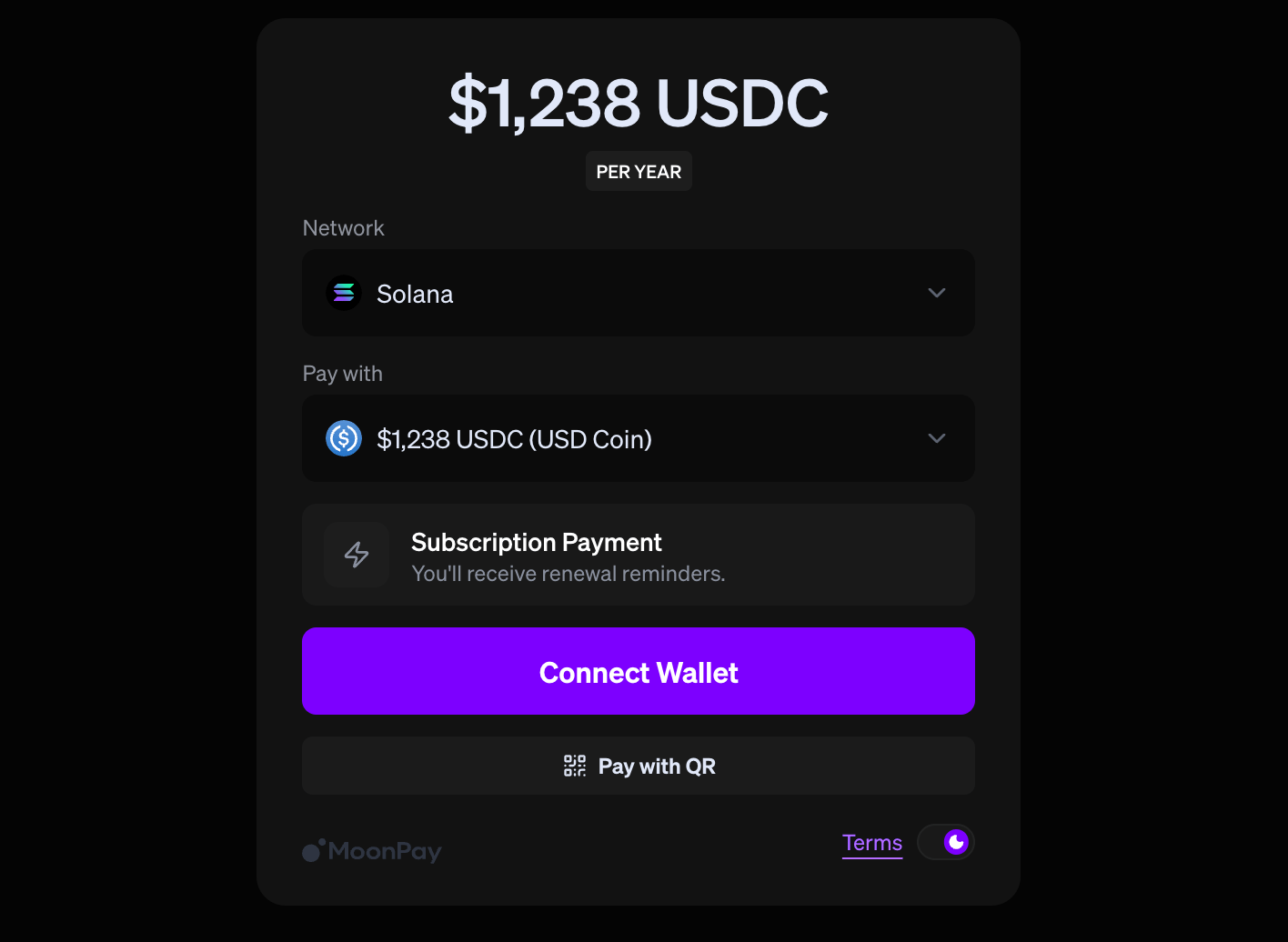
**Solana**, **Ethereum**, **Base**, **Polygon**, **Arbitrum**, and **BNB Chain**
* **USDC** and **USDT** are supported on every chain, and the complete list of accepted tokens per chain appears at checkout.
Payments settle onchain, so **gas fees apply on top of the subscription price**.
Please leave enough in your wallet to cover them.
## How to pay with crypto
Start at [coingecko.com/en/api/pricing](https://www.coingecko.com/en/api/pricing)
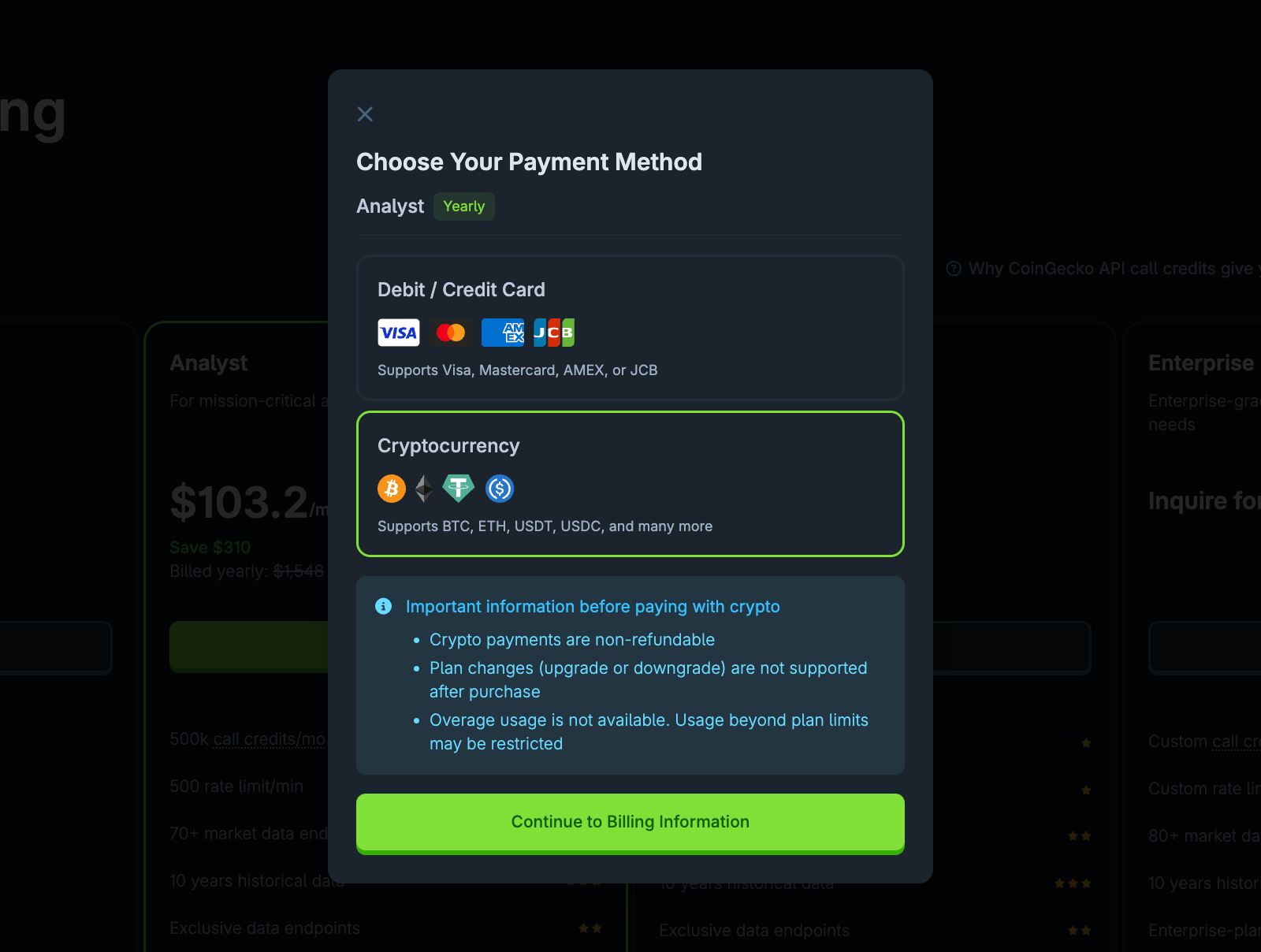
Crypto appears alongside card as a payment method.
Select it, then fill in your checkout details as usual.
 Pick your chain and token, then confirm the transaction in your wallet.
 ## Do crypto subscriptions renew automatically
There's no card on file to charge, so renewing means running through checkout again before your subscription expires.
We send renewal reminders at:
* **14 days** before expiry
* **7 days** before expiry
If payment doesn't land before expiry, API access pauses until you renew.
Onchain confirmations take time. Renew a few days early so you don't get caught by network congestion.
## Limitations of paying with crypto
No monthly billing option for crypto.
Crypto-paid plans can't run over their included usage.
You can cancel, but not change plans mid-subscription.
All crypto payments are final.
## FAQ
Your plan activates as soon as the onchain transaction confirms — full API access starts immediately, no manual approval needed.
You can't self-serve that change — [contact support](https://support.coingecko.com) to move over.
***
Questions about crypto payment, stuck transactions, or renewal timing?
## Do crypto subscriptions renew automatically
There's no card on file to charge, so renewing means running through checkout again before your subscription expires.
We send renewal reminders at:
* **14 days** before expiry
* **7 days** before expiry
If payment doesn't land before expiry, API access pauses until you renew.
Onchain confirmations take time. Renew a few days early so you don't get caught by network congestion.
## Limitations of paying with crypto
No monthly billing option for crypto.
Crypto-paid plans can't run over their included usage.
You can cancel, but not change plans mid-subscription.
All crypto payments are final.
## FAQ
Your plan activates as soon as the onchain transaction confirms — full API access starts immediately, no manual approval needed.
You can't self-serve that change — [contact support](https://support.coingecko.com) to move over.
***
Questions about crypto payment, stuck transactions, or renewal timing?