> ## Documentation Index
> Fetch the complete documentation index at: https://docs.coingecko.com/llms.txt
> Use this file to discover all available pages before exploring further.
# Python SDK
> Official CoinGecko Python SDK — install, authenticate, and start querying
Pythonic and intuitive interface — write less code, ship faster.
# CoinGecko Python SDK — AI Prompt Rules
## Install
```
pip install coingecko_sdk
```
## Client Setup
```python theme={null}
import os
from coingecko_sdk import Coingecko
client = Coingecko(
pro_api_key=os.environ.get("YOUR_API_KEY"),
environment="pro", # or "demo" with demo_api_key
max_retries=2,
)
```
* Load API keys from environment variables. Never hardcode.
* Initialize one reusable client instance.
* For async: use `AsyncCoingecko` with `await`.
## Finding Methods
Methods map to endpoint paths using snake\_case, but names are **not always predictable**
— path parameters like `{address}` may become part of the method name
(e.g. `get_address()`, `get_addresses()`, `get_network()`).
**Before using any SDK method, you MUST verify the exact method name.** Do not guess.
1. **Check the reference page first** — every endpoint page includes an SDK Examples section
at the bottom with copy-ready code:
* URL pattern: `https://docs.coingecko.com/reference/{operationId}`
* Look for the `#### SDK Examples` block and use the Python snippet exactly as shown.
2. **Full method list** — if you need to search across all methods:
`https://docs.coingecko.com/docs/sdk-python-methods`
3. **Parameter details and endpoint caveats**:
`https://docs.coingecko.com/reference/{operationId}`
## Error Handling
Catch specific SDK exceptions — never use bare `except Exception`.
```python theme={null}
import coingecko_sdk
try:
response = client.simple.price.get(vs_currencies="usd", ids="bitcoin")
except coingecko_sdk.RateLimitError:
# Back off — 429 received
pass
except coingecko_sdk.NotFoundError:
# Invalid coin ID or endpoint
pass
except coingecko_sdk.APIError as e:
print(e.status_code, e.response)
```
## Rules
* ALWAYS use `coingecko_sdk`. Never use `pycoingecko` or raw `requests`/`httpx`.
* Rely on the SDK's built-in retry (`max_retries`). Never write manual retry loops.
* Responses are Pydantic models — use `.to_dict()` or `.to_json()` when needed.
* Use `client.with_options()` for per-request overrides (timeout, retries).
Or set up manually:
```bash pip theme={null}
pip install coingecko-sdk
```
```bash uv theme={null}
uv add coingecko-sdk
```
View on [PyPI](https://pypi.org/project/coingecko-sdk/) | [GitHub](https://github.com/coingecko/coingecko-python)
```python Pro API theme={null}
from coingecko_sdk import Coingecko
client = Coingecko(
pro_api_key='YOUR_API_KEY',
environment="pro",
)
```
```python Demo API theme={null}
from coingecko_sdk import Coingecko
client = Coingecko(
demo_api_key='YOUR_API_KEY',
environment="demo",
)
```
> Replace `YOUR_API_KEY` with your key from the [Developer Dashboard](https://www.coingecko.com/en/developers/dashboard#api-keys).
```python theme={null}
response = client.simple.price.get(
vs_currencies="usd",
ids="bitcoin",
)
print(response)
```
SDK methods map to endpoint paths. For example, `/simple/price` becomes `client.simple.price.get()`. Two ways to find the right method:
1. Every endpoint page includes an **SDK Examples** section at the bottom with copy-ready code. For example, see the [Coin Price by IDs](/reference/simple-price#sdk-examples) page:
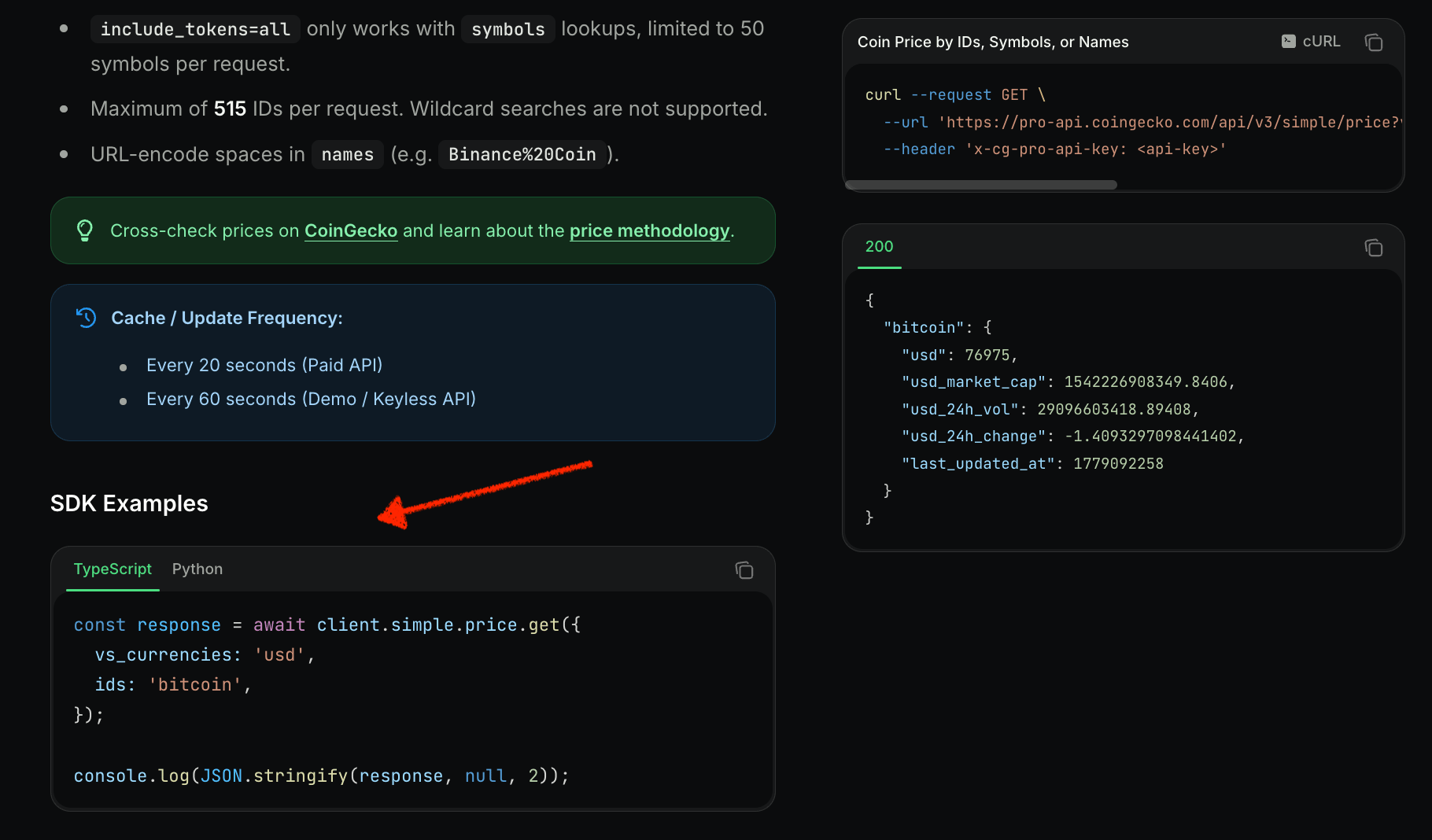 2. Visit **[all methods](/docs/sdk-python-methods)** to browse the full list with endpoint mappings.
***
Found a bug or missing feature? [Open an issue](https://github.com/coingecko/coingecko-python/issues).
2. Visit **[all methods](/docs/sdk-python-methods)** to browse the full list with endpoint mappings.
***
Found a bug or missing feature? [Open an issue](https://github.com/coingecko/coingecko-python/issues).