Share Feedback
Tell us how you use CoinGecko’s data delivery methods and what you’d like to see next.
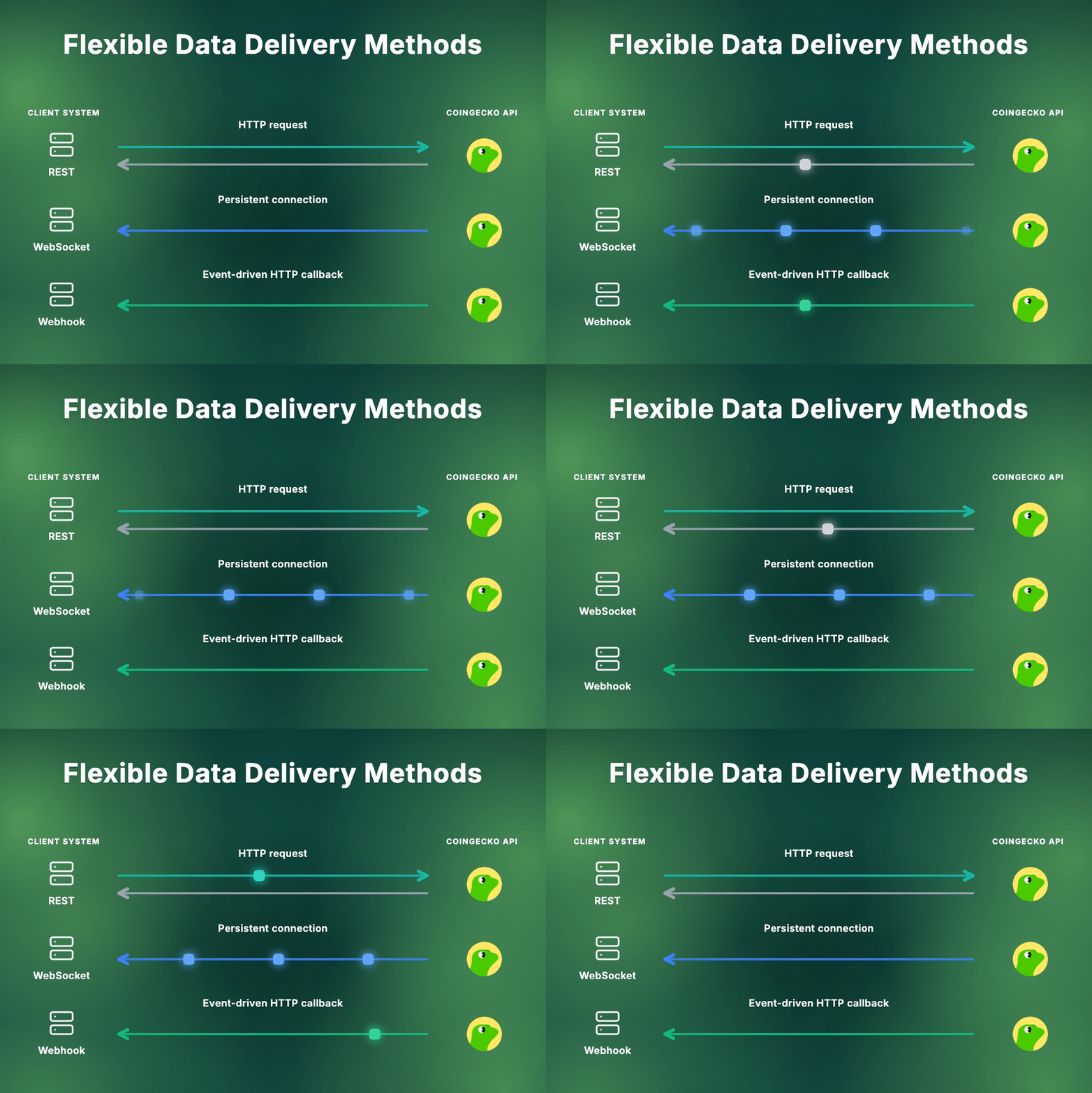
REST API — You ask, we answer
Send an HTTP request, get a JSON response. The simplest way to query prices, market data, historical charts, and more.Best for
- On-demand data fetches (prices, coin info, historical charts)
- Periodic polling on a schedule
- Backfilling or one-time data pulls
- Prototyping and quick integrations
Coverage
- 50+ endpoints on Demo & Basic plans
- 80+ endpoints on Analyst plan & above
- Prices, market data, exchanges, NFTs, onchain DEX data, and more
Available on all plans, including the free Demo plan.
Explore REST API Endpoints
Browse all available endpoints across CoinGecko and Onchain APIs.
WebSocket — Stream data in real time
A persistent connection that pushes updates to your application as they happen. Subscribe once, receive continuous data — no repeated requests.Best for
- Live price tickers and trading dashboards
- Real-time DEX trade monitoring
- Streaming OHLCV candlestick charts
- Any application where latency matters
Channels
C1— CoinGecko coin pricesG1— Onchain token pricesG2— Onchain tradesG3— Onchain OHLCV candles
Requires Basic plan & above.
Explore WebSocket Channels
Stream real-time prices, trades, and OHLCV data.
Webhooks — Get notified when data changes
Event-driven callbacks that push notifications to your server when specific changes happen on CoinGecko — no polling required.Best for
- Keeping your database in sync with CoinGecko
- Reacting to coin metadata changes (rebrands, new chains, alerts)
- Compliance and risk monitoring
- Replacing cron jobs with event-driven updates
Events
cg.coin.info.updated— coin metadata changes across all active coinscg.coin.price.moved— significant price moves of top-100 coinscg.coin.listed— new token listingscg.coin.exchange.added— coins newly tracked on an exchange
Requires Basic plan & above.
Explore Webhook Events
Set up event-driven notifications for coin data changes.
Plan Access
Which Method Should You Use?
I want to build a portfolio tracker
I want to build a portfolio tracker
Use REST API to fetch prices and historical data on a schedule. Add WebSocket if you need live price updates on a dashboard.
I'm building a trading bot
I'm building a trading bot
Use WebSocket for real-time price feeds and trade data. Supplement with REST API for reference data like coin metadata or historical OHLC.
I need to keep my database in sync with CoinGecko
I need to keep my database in sync with CoinGecko
Use Webhooks to receive notifications when data changes — no constant polling. Use REST API to backfill or fetch full records on demand.
I'm just getting started
I'm just getting started
Start with REST API — available on all plans including the free Demo. Add WebSocket or Webhooks later as your needs grow.
Share Feedback
Tell us how you use CoinGecko’s data delivery methods and what you’d like to see next.