

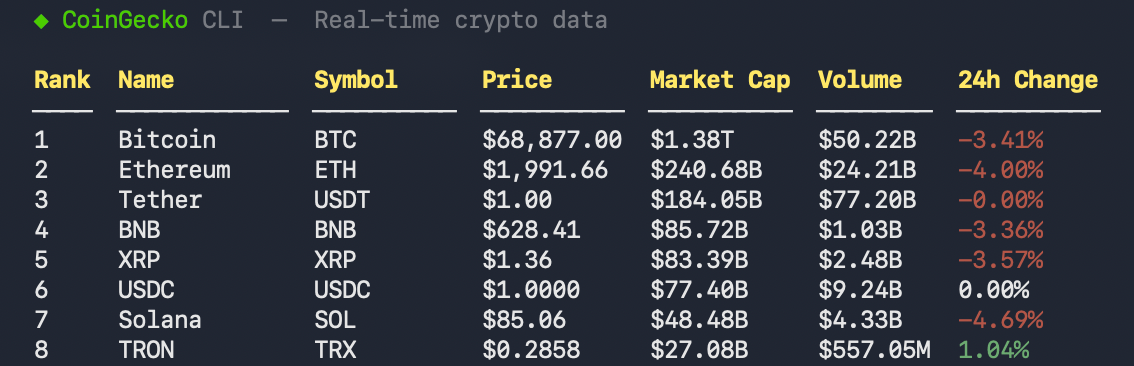
Interactive TUI
Full-screen terminal dashboard with live navigation and 7-day braille price charts.
CSV & JSON Export
Export market rankings and historical data directly to CSV or JSON for pipelines and analysis.
Live WebSocket Streaming
Real-time price updates via
cg watch with NDJSON output for piping.AI Agent-Friendly
--dry-run mode and cg commands for tool discovery and LLM integration.Get Started
1
Install
Or download a binary from GitHub Releases.
2
Authenticate
Get a Demo (free) or Pro (paid) API key, then run:Or pass credentials directly:Verify with
cg status.3
Try it out
See the full Commands Reference for all available commands.
Use Cases
Developers — monitoring and tooling
Developers — monitoring and tooling
- CI/CD alerts — integrate into GitHub Actions or cron jobs, monitor price thresholds with
-o jsonandjq - Dataset generation — fetch and export top 1000 coins to CSV in seconds
- Debugging — use
--dry-runto preview exact API parameters and URLs before production code - Shell integration — embed in your terminal prompt for live metrics
AI Agents — data retrieval and reasoning
AI Agents — data retrieval and reasoning
- Function calling — give your LLM the
cgbinary as a tool, resolve symbols viacg search, and analyze results - Market research — identify hot sectors with
cg trending, drill into performers with--category - Context injection — feed fresh
-o jsondata to ensure reasoning uses real-time market conditions - Self-documentation —
cg commandslets agents discover available sub-commands
Analysts — data pipelines
Analysts — data pipelines
- Historical snapshots — generate CSV reports for specific dates or ranges for Excel or Python
- Movers analysis — track biggest gainers/losers across timeframes
- Category benchmarking — export sector data (Layer-2, RWA, etc.) for cross-category comparison
Share Feedback
Tell us how you’re using the CLI and what we should improve.
Open an Issue or PR
Report bugs, request features, or contribute on GitHub.