

Migrating from Gemini CLI? Antigravity CLI is its direct successor.
The setup below works for both the desktop app and CLI.
The setup below works for both the desktop app and CLI.
Setup
1
Install the SKILL
Gives Antigravity built-in knowledge of the CoinGecko API — writes correct requests without manual prompting.Clone into Antigravity’s skills directory:Antigravity loads the skill automatically when it detects a CoinGecko-related task.
Full details: Agent SKILL
2
Add CoinGecko API MCP
Connects Antigravity to live CoinGecko data — prices, market caps, onchain pools, OHLCV, NFTs, and more.Open ⋯ → MCP Servers → Manage MCP Servers → View raw config to edit 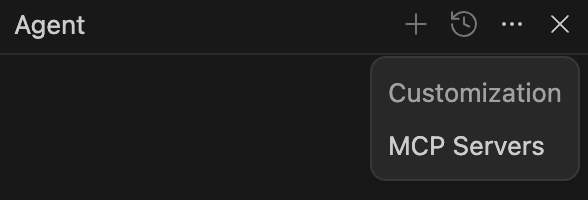 Add the CoinGecko MCP:Save and reload the MCP panel.
~/.gemini/antigravity/mcp_config.json:Full details: CoinGecko MCP
3
Add Docs MCP
Lets Antigravity search CoinGecko documentation directly — endpoint references, guides, and tutorials.Add to the same config:
Full details: Docs MCP
SDK Prompts
Copy the prompt into one of Antigravity’s rules files:- Python
- TypeScript
Prompt for integrating CoinGecko Python SDK
Try It Out
Once everything’s wired up, try asking Antigravity:- “Using the CoinGecko MCP, show me the top 10 trending pools on Base and export them to CSV.”
- “Write a Python script using coingecko-sdk that tracks my portfolio and alerts if any coin moves more than 10% in an hour.”