

Real-Time Prices
Live and historical prices, market caps, and trading volumes.
Market Intelligence
Exchange data, trending coins, and market analytics.
Onchain Analytics
Token and pool data across DEXes and networks.
Servers
See the full list of available tools and methods.
Connect to Remote Server
- Claude Web
- Claude Desktop
- Claude Code
1
Add connector
Go to Settings > Connectors on claude.ai.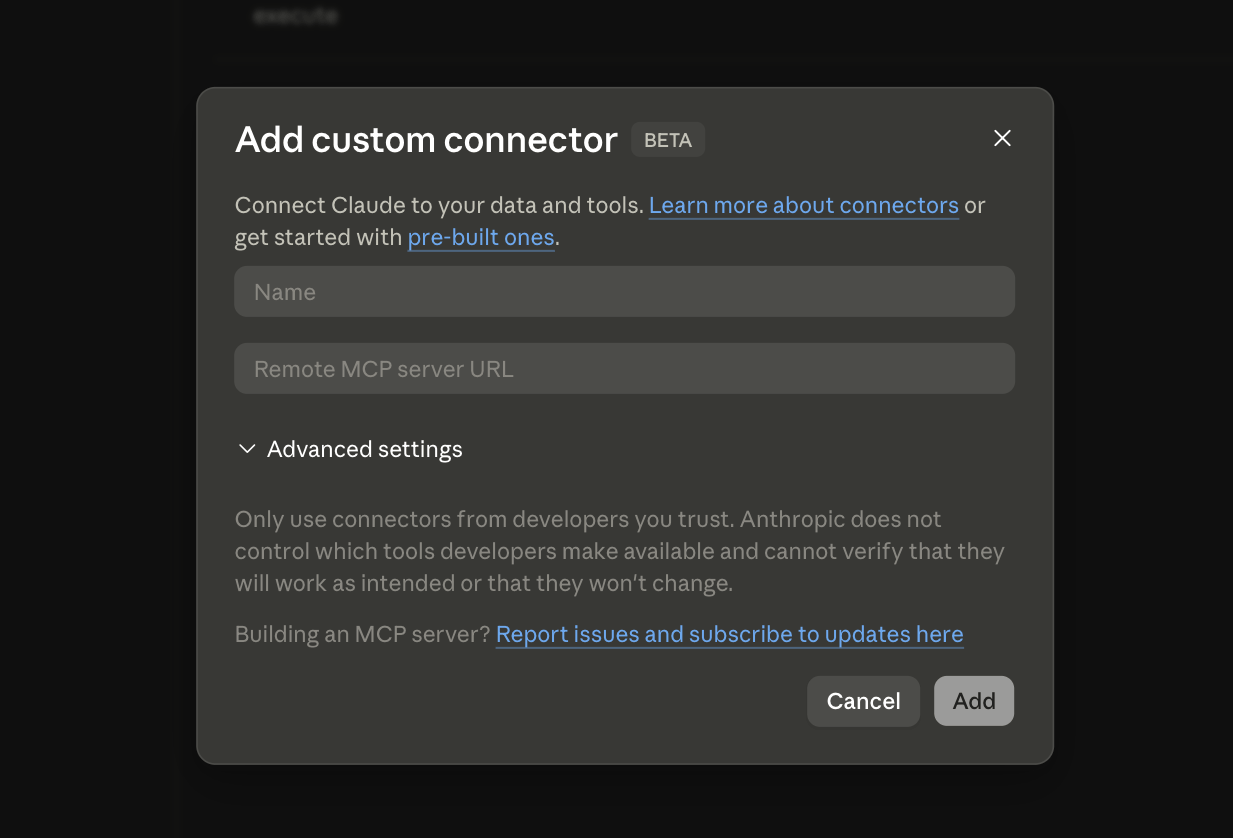
2
Enter server details
-
Name:
CoinGecko -
Remote MCP server URL:
Get an API key →
Setup your Local Server
Run the server on your machine using@coingecko/coingecko-mcp. Requires Node.js.
- Claude Desktop
- Claude Code
1
Open config
Edit
claude_desktop_config.json (find this file).2
Add server
ReplaceYOUR_API_KEYwith your actual API key.
Get a free Demo key or upgrade to Pro →
3
Restart Claude Desktop
Restart to load the new server.
FAQ
What's the difference between Free and API key servers?
What's the difference between Free and API key servers?
The Free server requires no authentication and uses shared rate limits. The API key server gives you higher rate limits and access to the full tool set — including premium endpoints available on your CoinGecko plan.
When should I use a local server instead of remote?
When should I use a local server instead of remote?
Use a local server if you need full control over the runtime, want to avoid browser-based OAuth, or prefer passing your API key via environment variables instead of the browser auth flow.
What's the difference between /mcp and /sse endpoints?
What's the difference between /mcp and /sse endpoints?
/mcp uses Streamable HTTP — the newer, recommended transport. /sse uses Server-Sent Events, an older protocol. Always prefer /mcp unless your client only supports SSE.Which AI clients are supported?
Which AI clients are supported?
Any client that supports the Model Context Protocol — including Claude (Web, Desktop, Code), Cursor, Windsurf, and others. The setup steps on this page use Claude as an example, but the endpoints and configs work with any MCP-compatible client.
Do MCP requests count toward my API rate limit?
Do MCP requests count toward my API rate limit?
Yes. Each tool call the AI makes through MCP triggers one or more API requests, which count toward your plan’s rate limit and credits.
Share Feedback
Help us improve MCP — share your suggestions and feedback.