

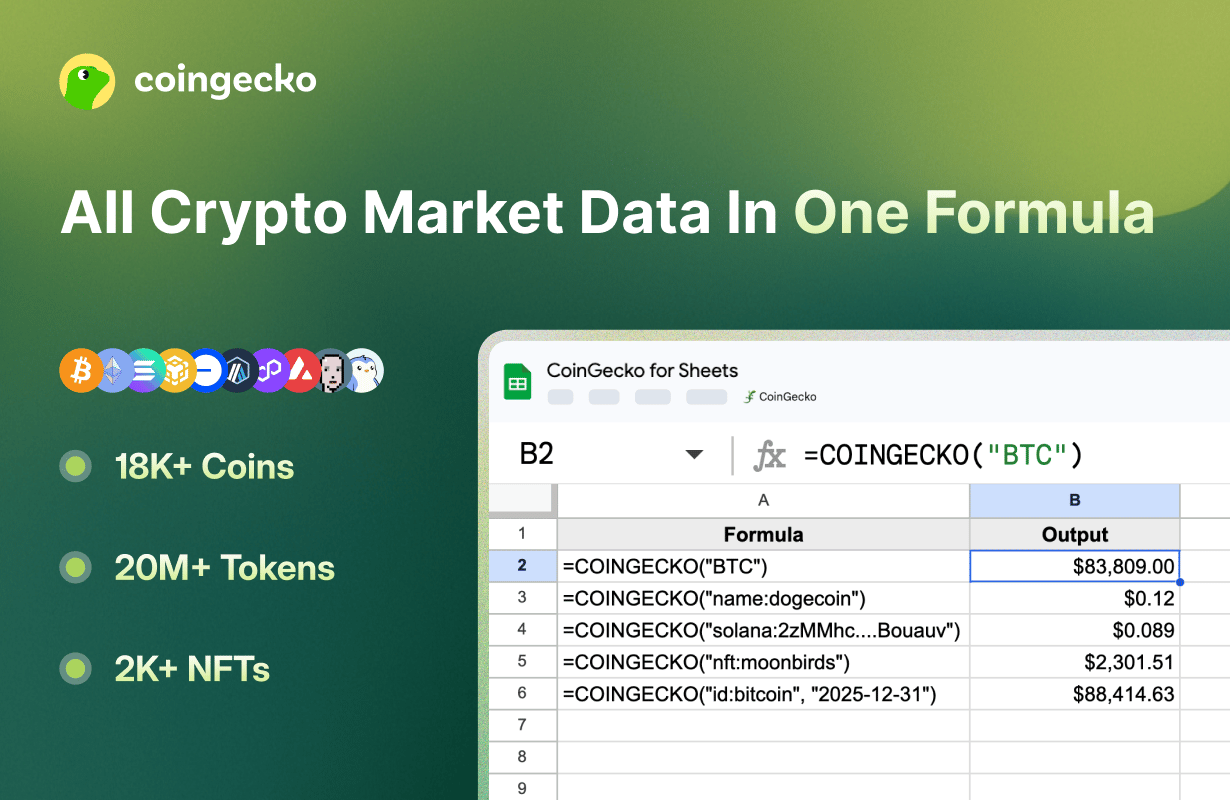
This official add-on follows the principle of least privilege — it only accesses the sheet you currently have open. It does not request access to Google Drive or other spreadsheets.
Quick Start
1
Install
Visit CoinGecko for Sheets on Google Workspace Marketplace and click Install.
2
Authorize
Check Select all to grant the required permissions.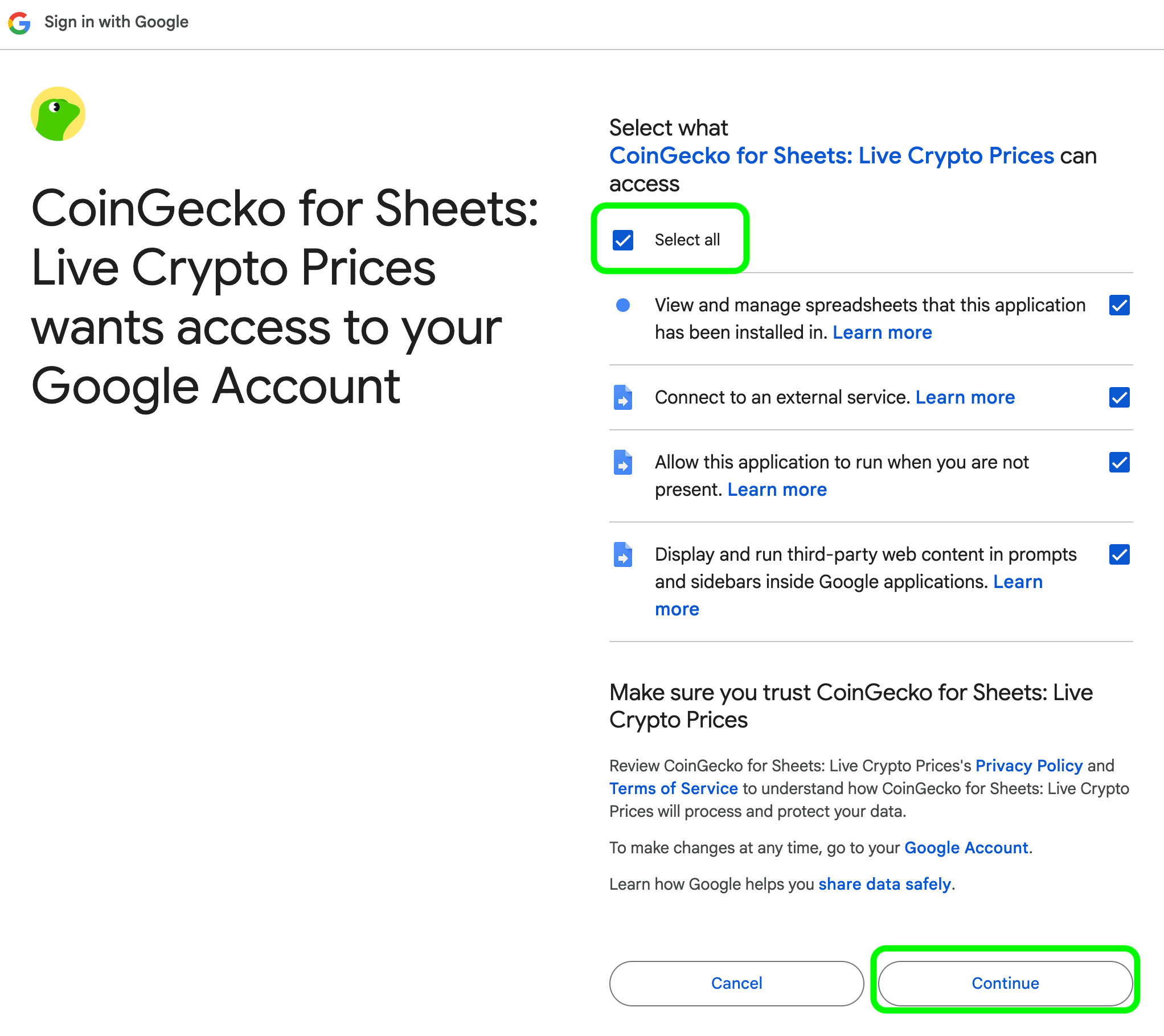
3
Set API key
Go to Extensions > CoinGecko > Settings & API Key.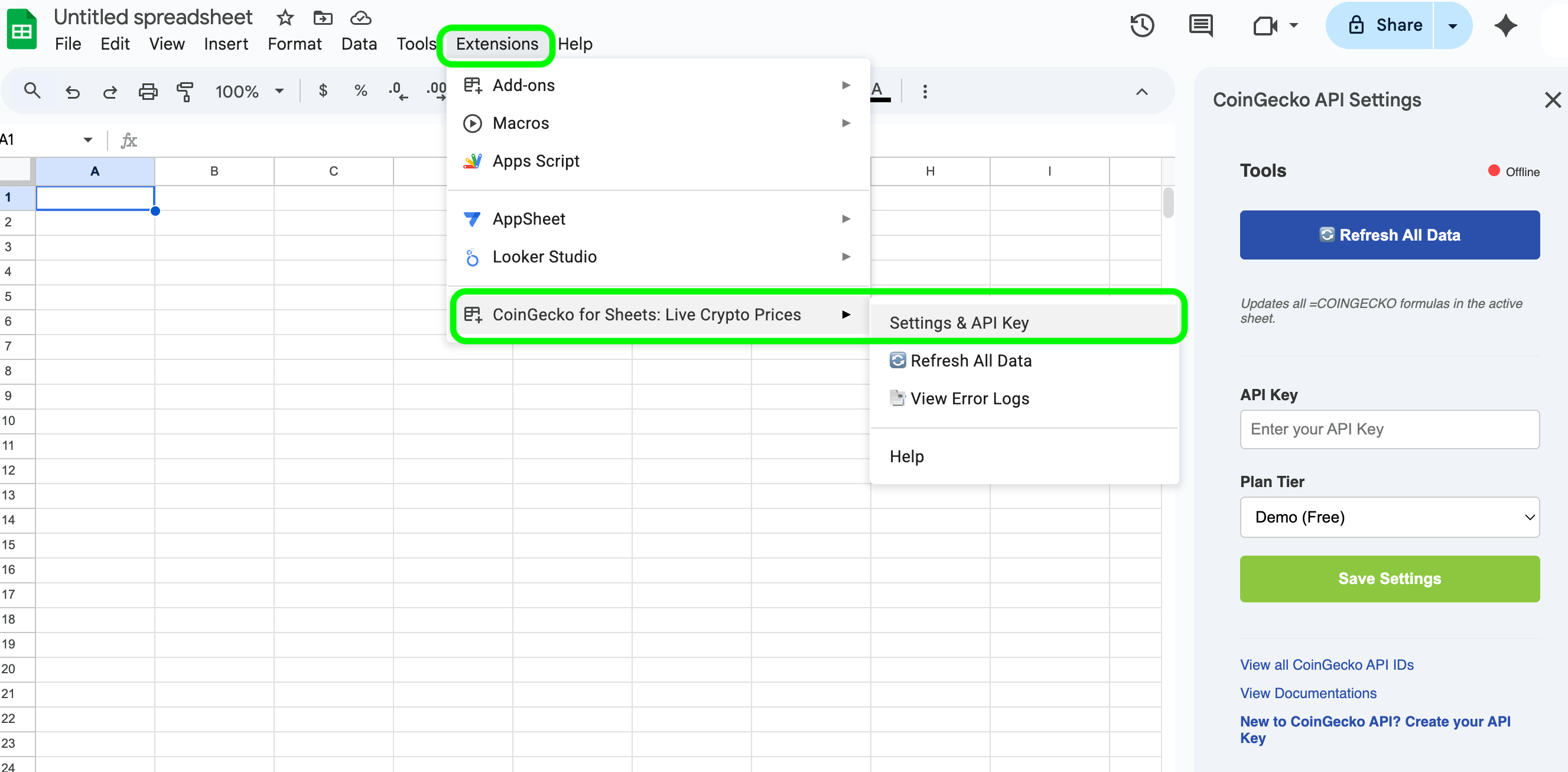
Using =COINGECKO()
A single “Smart Routing” function that auto-detects whether you’re querying a ticker, coin ID, onchain token, or NFT.
Latest Price
Historical Price
Top Market Cap Rankings
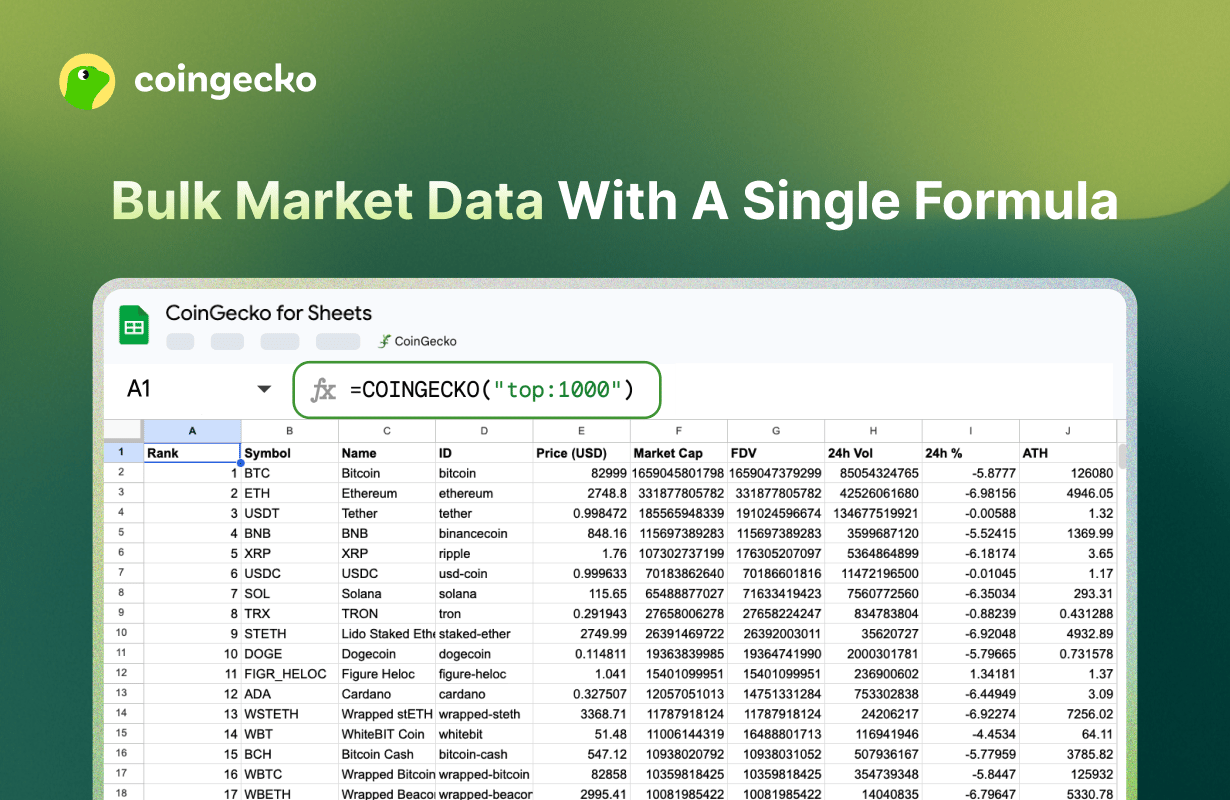
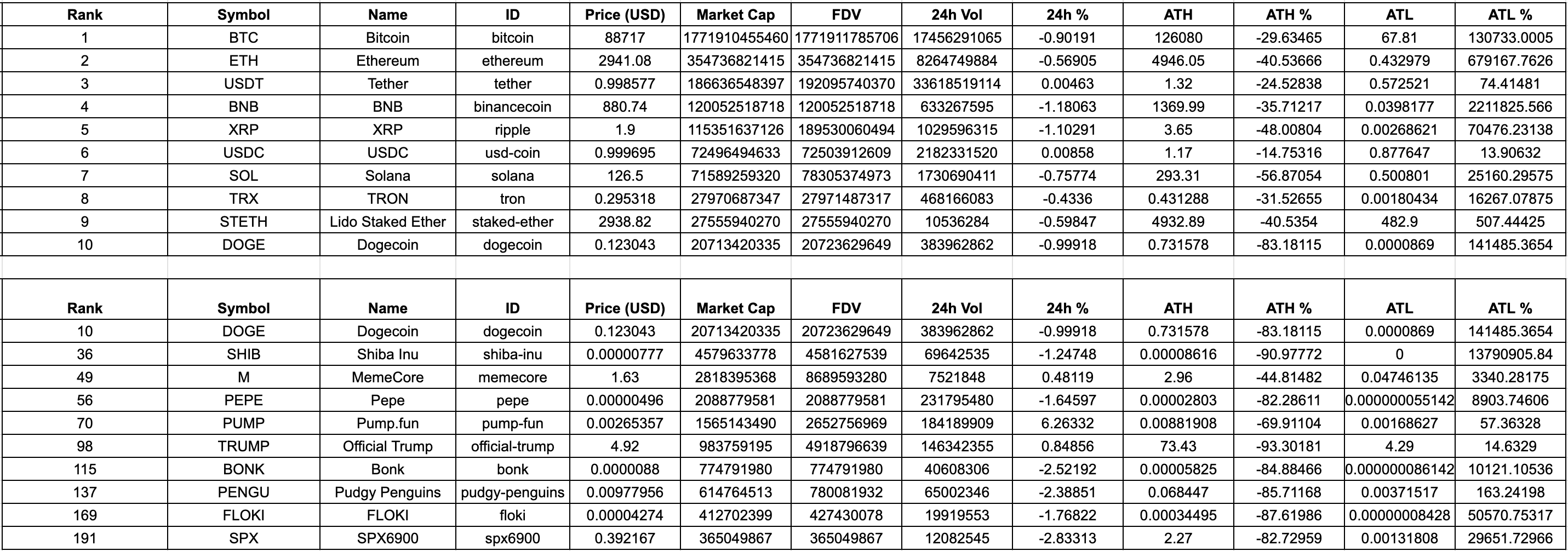
Output Example
Other Features
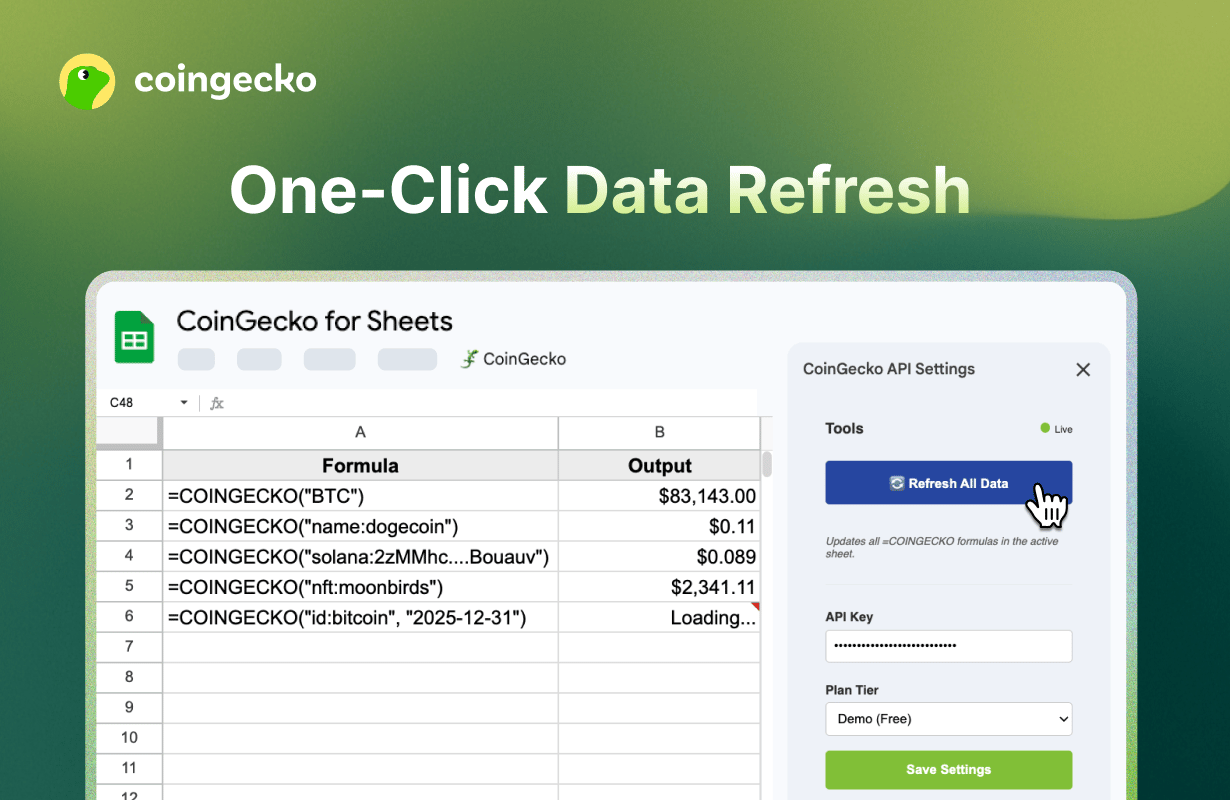
Bulk Refresh
Google Sheets caches formulas for 1–2 hours. To force-update all=COINGECKO formulas:Open the CoinGecko Sidebar and click Refresh All Data.
Error Debugging
Go to Extensions > CoinGecko > View Error Logs:Opens a log sheet with exact API error responses (e.g.
429: Rate Limit Exceeded, 403: Invalid API Key).
FAQ
Why is my formula showing #NAME?
Why is my formula showing #NAME?
Ensure the add-on is installed and “CoinGecko” appears under the Extensions menu. If it’s missing, refresh your browser.
How do I find a Coin ID or NFT ID?
How do I find a Coin ID or NFT ID?
Use the full ID list, or find the “API ID” on the coin’s CoinGecko or GeckoTerminal page.
Is my API key safe?
Is my API key safe?
Yes. Your key is stored using Google’s PropertiesService — encrypted and unique to your Google account. CoinGecko does not see or store your key.
Why does it need all these permissions?
Why does it need all these permissions?
- View and manage spreadsheets — to populate cells with data and create error log sheets.
- Connect to an external service — to fetch prices from the CoinGecko API.
- Run when you are not present — to keep formulas active without the sidebar open.
- Display third-party web content — to render the sidebar UI.
What is the privacy policy?
What is the privacy policy?
View the full privacy policy.
Share Feedback
Have questions or feedback? Let us know.