CoinGecko SKILL is an installable package that gives AI agents built-in knowledge of the CoinGecko API, including endpoints, parameters, and common workflows.
  • Instead of manually explaining the API to your agent every time, the SKILL lets your agent understand CoinGecko data instantly and respond with accurate queries and code.
  • The SKILL works with popular AI coding agents and tools such as Claude Code, Gemini CLI, Codex CLI, and other SKILL-compatible agents. Setup takes less than 3 minutes.
You can check out the repo at github.com/coingecko/skills, or follow the installation instructions below.

Installation

You may install the CoinGecko SKILL package using one of the following methods, depending on your preferences:

Setting up for Agents / LLMs

*such as Claude Code, Gemini CLI, Codex CLI

Installation via skills.sh

1

Install the `skills` package globally to manage SKILLs across your system

npm install -g skills
*see npmjs/skills for more details.
2

Install the CoinGecko SKILL package using `npx skills`

npx skills add coingecko/skills -g -y
*-g flag to install globally for all agents.

Installation via GitHub

*see github.com/coingecko/skills
1

Clone from the GitHub repository

git clone https://github.com/coingecko/skills.git coingecko-skills
2

Move the cloned artifact to your agent's SKILLs directory

mv coingecko-skills ~/.claude/skills/coingecko
*the exact path may vary based on your agent and operating system.
*example above is for Claude CLI on Mac/Linux.

Setting up for Claude.ai

1

Download the SKILL package (.zip) from GitHub

2

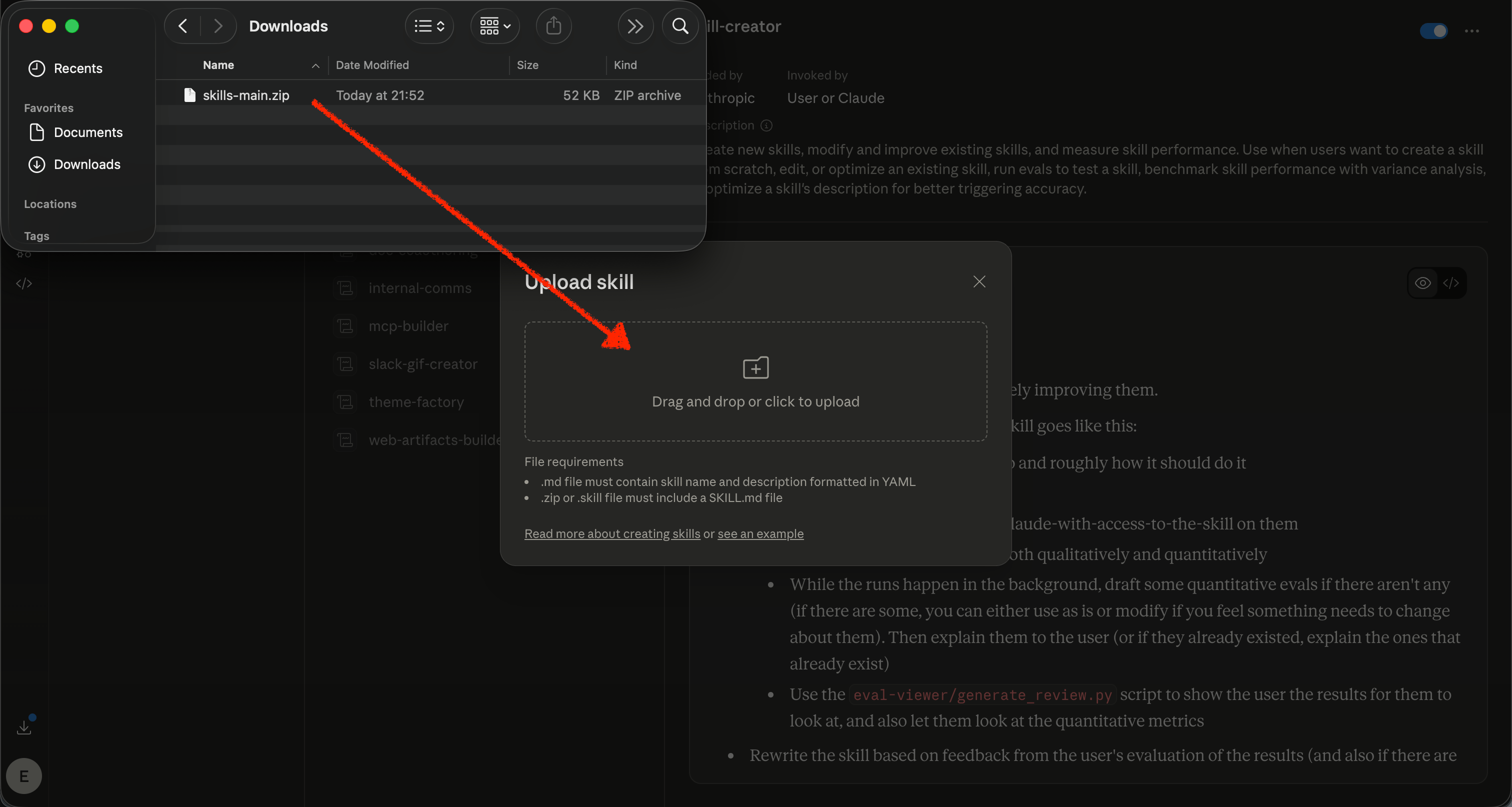
Upload the `skills-main.zip` to claude.ai

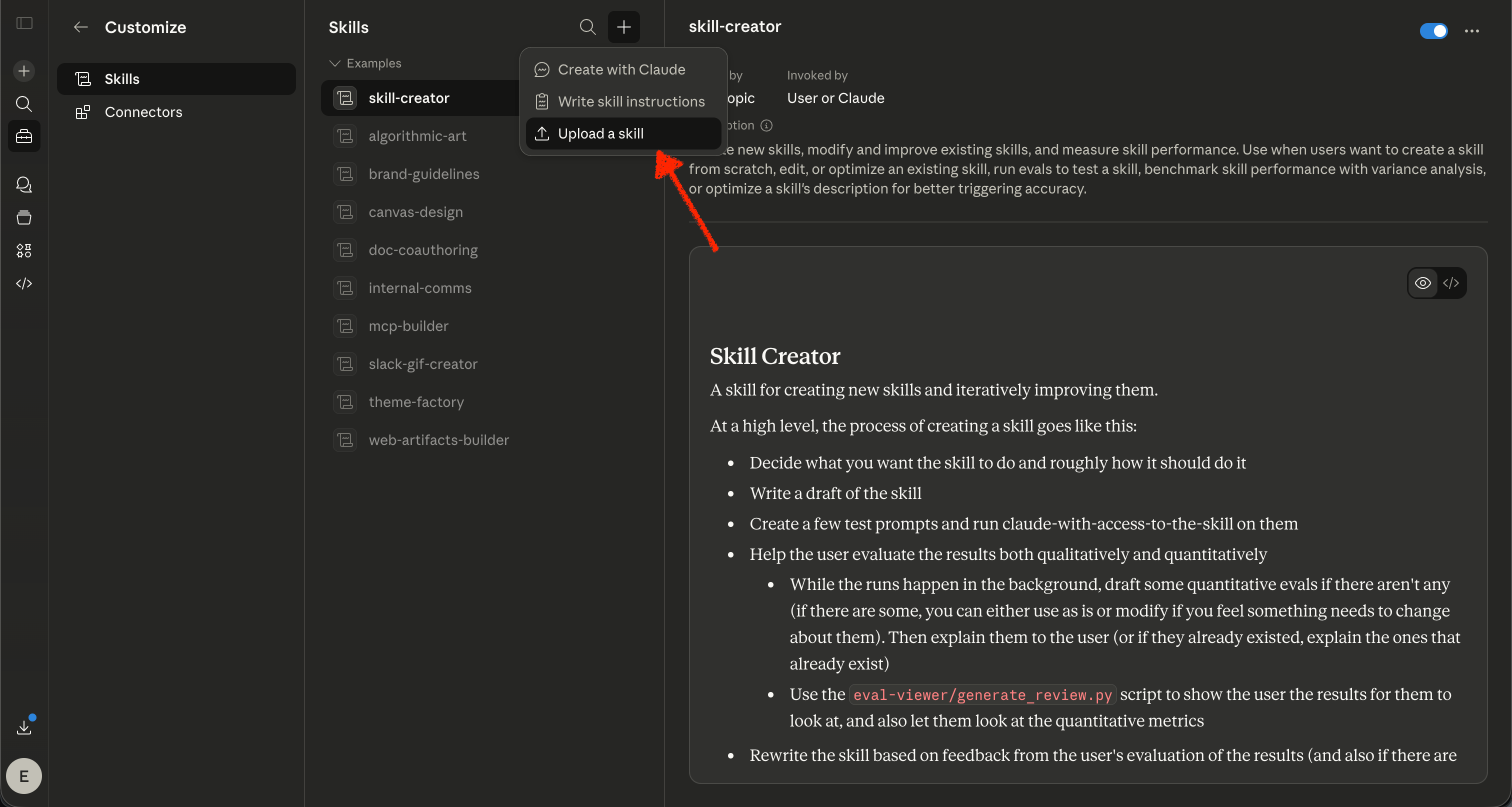
  1. Visit https://claude.ai/customize/skills
  2. Select ’+’ -> ‘Upload a skill’
  1. Upload the skills-main.zip file you downloaded from GitHub.
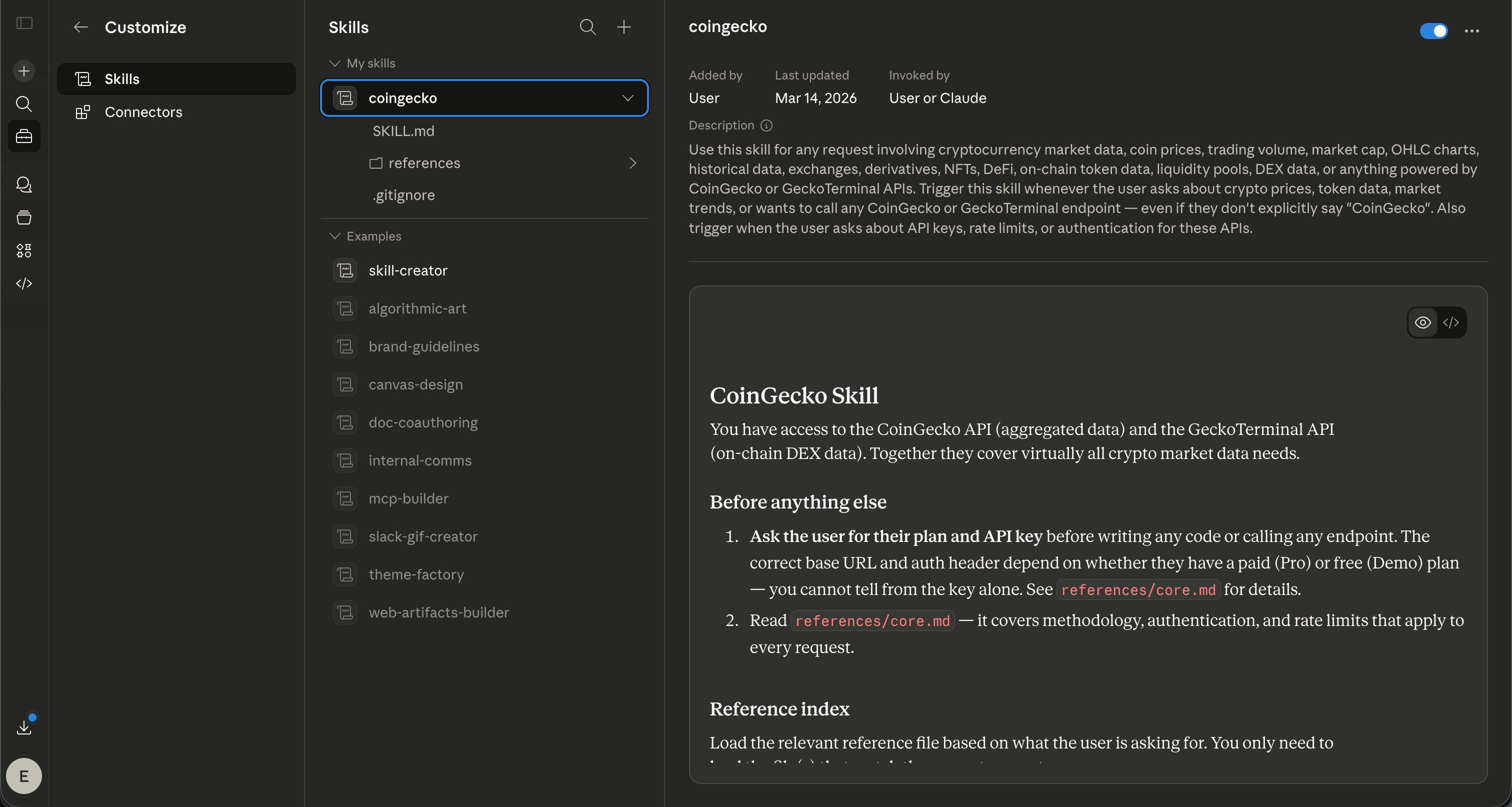
  1. You are all set!

Constraints for Claude.ai 🚧

The SKILL already includes built-in workarounds for Claude.ai platform restrictions, so most users won’t run into issues.
However, if your API calls are failing silently or returning network errors, check the following:

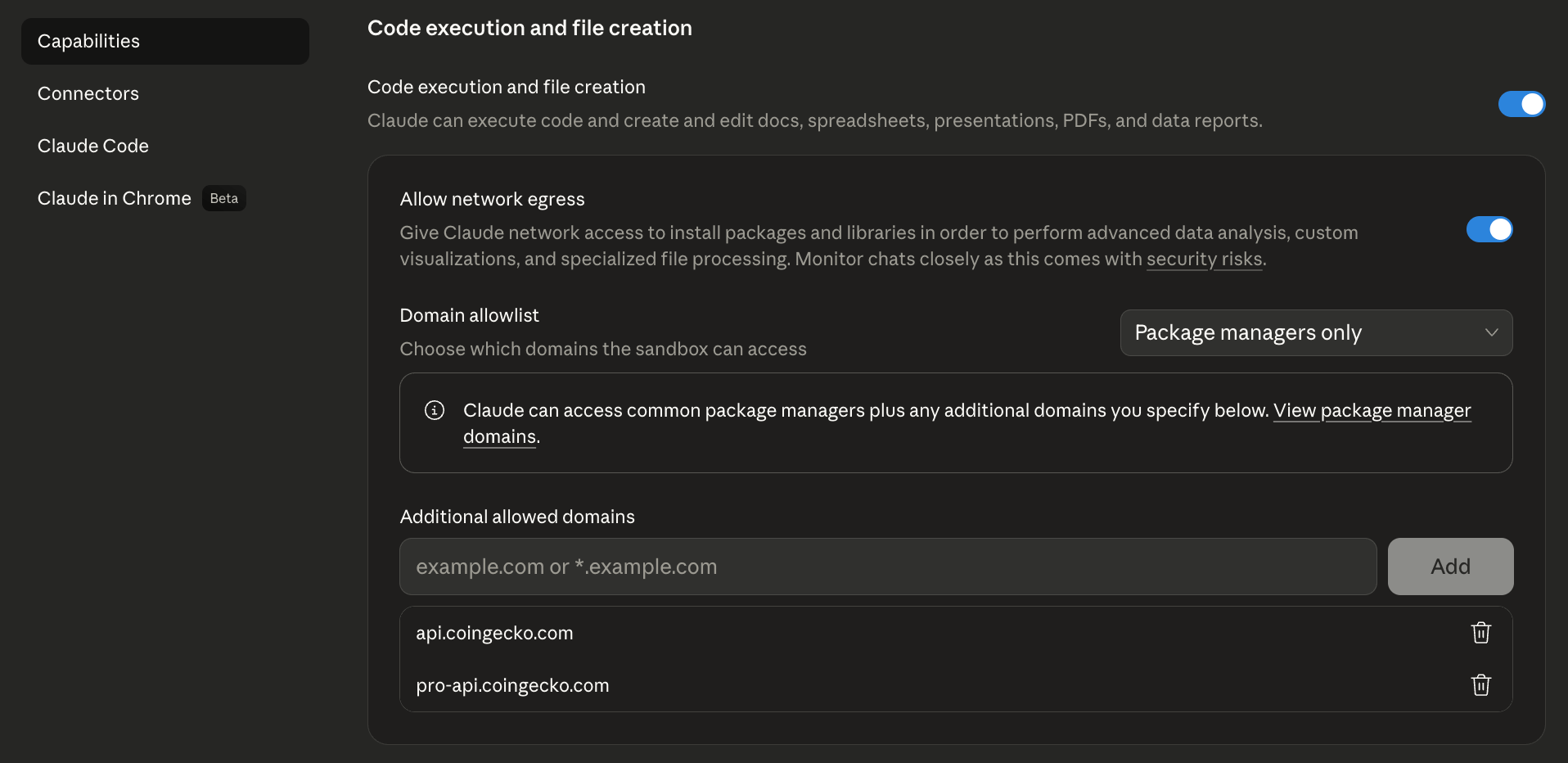
Allowlist CoinGecko domains (Claude paid plans only)

Claude blocks outbound requests to domains not on your personal allowlist. To fix this:
  1. Go to https://claude.ai/settings/capabilities, then scroll down to the “Domain allowlist” section.
  2. Under “Additional allowed domains”, add both:
    • pro-api.coingecko.com
    • api.coingecko.com

Artifacts cannot make API calls directly

  • Claude Artifacts run in a sandboxed environment that blocks all external API calls — including CoinGecko.
  • The SKILL handles this automatically by instructing Claude to fetch data server-side first, then pass the results into the Artifact as static data.

Use it with the CoinGecko MCP Server

We recommend setting up the CoinGecko MCP Server together with the SKILL for the best experience, especially if you’re on the Claude free plan.All under 5 minutes by following the instructions in our MCP guides.

What’s next?

Once installed, try asking your agent / LLM questions like:
“If I invested $100 in Bitcoin back in December 2018, how much would it be worth today?”
“What was the ATH of XPL?”
“What is the current market cap of DZnQi17HFgSM8mJ4nhVicz32B97XyTsd6MUVuDJgP9Jo from Solana?”
“What if I only left $50 in my wallet? Which coins should I buy to maximize my returns based on the current market?”
“What are the top NFT collections this week?”
… have fun experimenting!

Share your feedback

Tell us how you’re using the CoinGecko SKILL and what we should improve!
Have feedback or need help? Reach out to eason.lim@coingecko[dot]com